
Business Intelligence, Not Just Logs

DETAILS

Business Intelligence, Not Just Logs

Technical details for IT admins, summary tables for department managers. Automatically send daily, weekly, or monthly VPN scorecards via email.
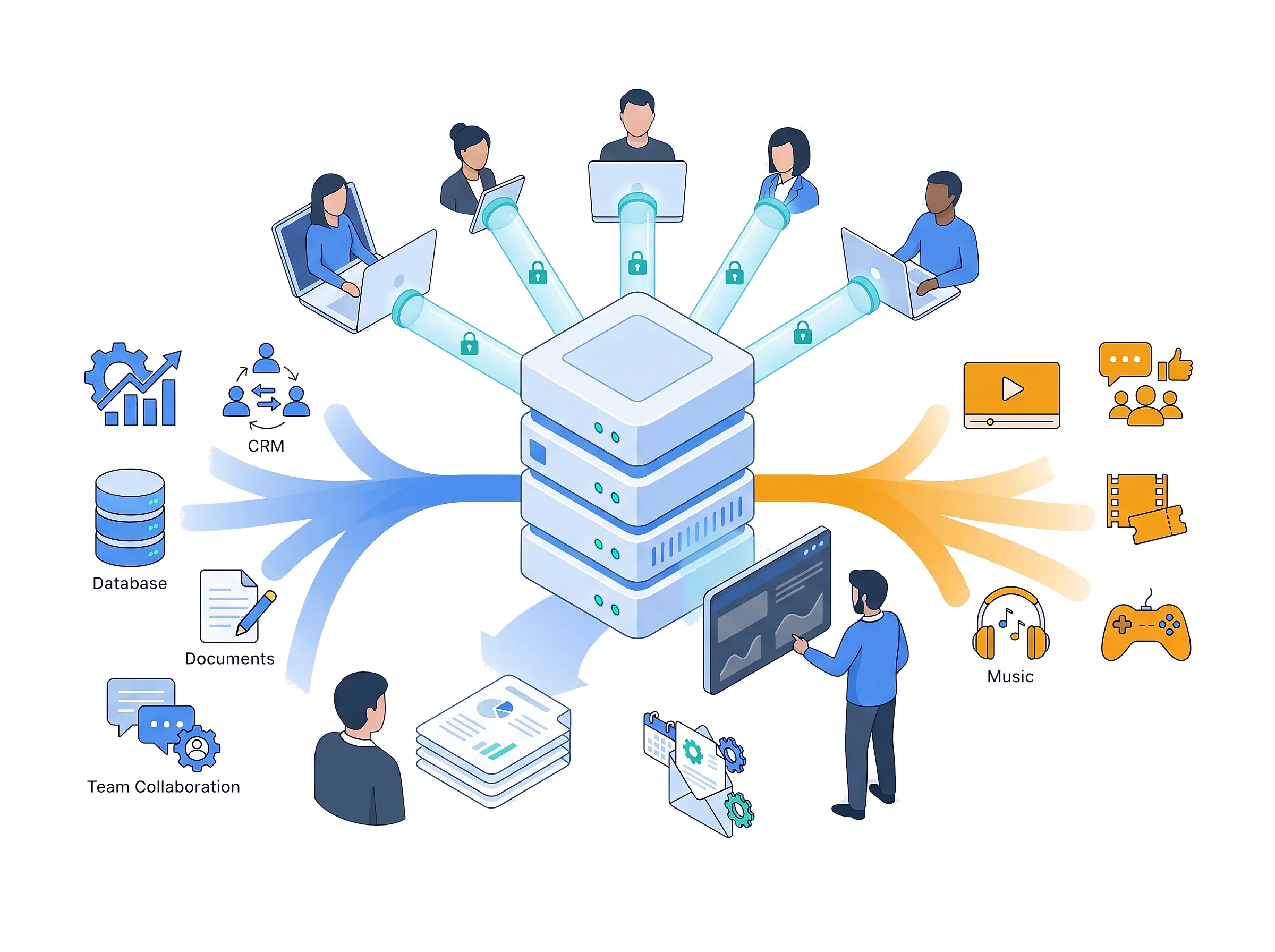

Make Sense of Data: Business vs. Non-Business

FEATURED

Make Sense of Data: Business vs. Non-Business

Standard reports only show data consumption. VPN Reporter classifies traffic when the session ends. Clearly separate how much time a user spends on business apps like SAP or CRM versus bandwidth wasted on YouTube.
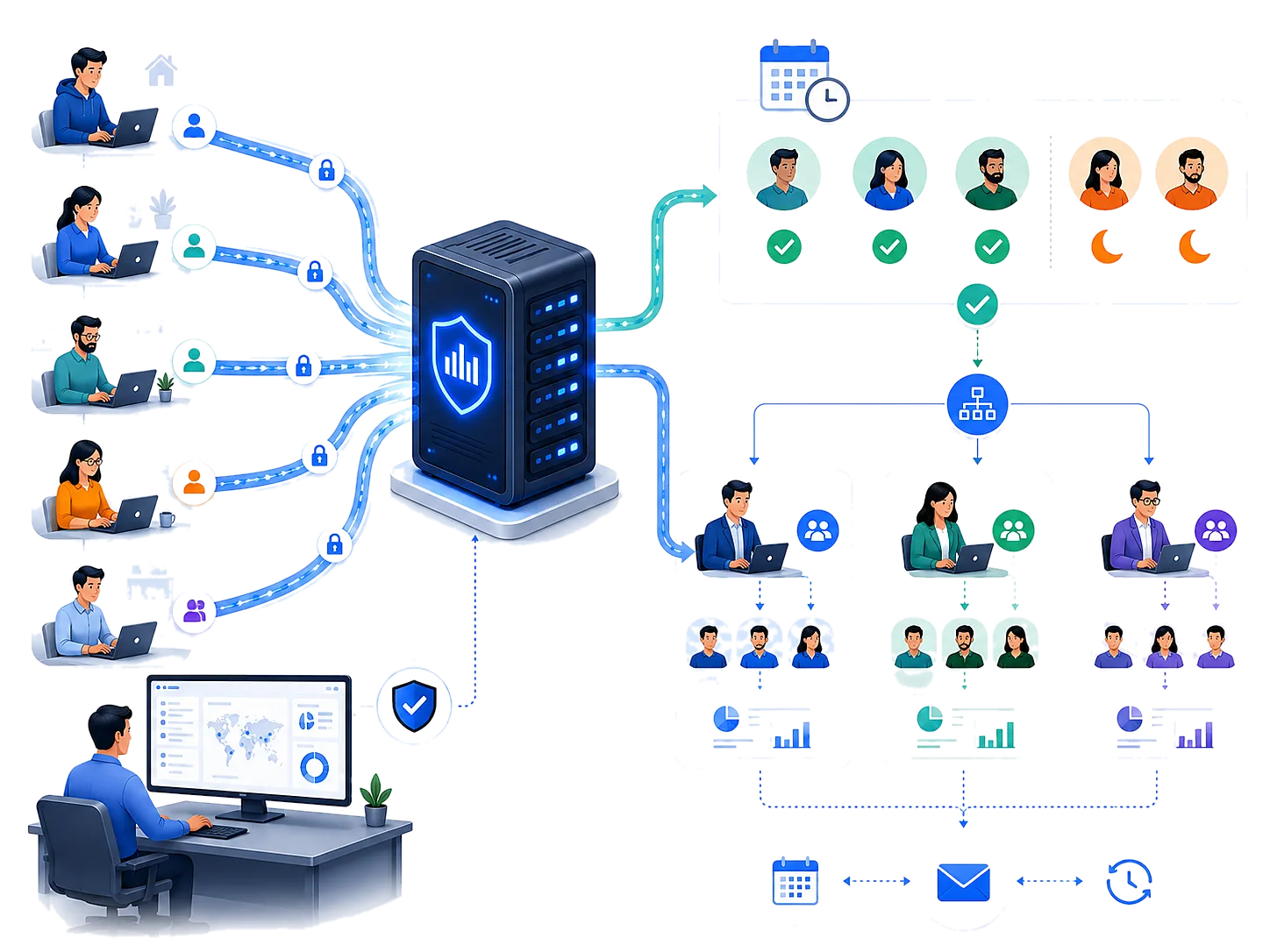

Smart Shift Tracking & Granular Authorization

DETAILS

Smart Shift Tracking & Granular Authorization

See who is connected in real-time and detect off-shift usage. With advanced roles, automatically email department managers the productivity reports (daily/weekly/monthly) of only their own teams, reducing the burden on IT.


Advanced Features

Get full control with VPN Reporter.

Multi-Site & Panorama Support

Monitor Palo Alto devices across multiple locations, or your Panorama, centrally from a single console.

First-Time Anomaly Alerts

Instantly alert security teams when an account connects via VPN for the first time, detecting compromised credentials.

Real-Time Connection Alerts

Get rich email alerts with external IP, device name, OS, and connection type (Mobile/DSL) the moment a user connects.

GeoIP Anomaly Mapping

Visualize connections on a world map. Generate geo-threat alerts for connections from countries where VPN has never been used before.

Supports GDPR Compliance

Session logs are archived with SHA-256 hashes, so you can verify they have not been altered. Set retention periods to match your policy and present your records as evidence during audits.

Agentless Architecture

Start working in minutes with direct Firewall API and Active Directory integration, without installing any software on endpoints.

Zero Trust & Device Health

Analyze the OS and GlobalProtect client versions used for connections. Instantly detect outdated and risky clients.

Bandwidth & Cost Optimization

Optimize your Split-Tunneling rules and reduce bandwidth costs by analyzing non-business traffic (social media, video, etc.) consumption.

Technical Requirements

Operating System

Windows 11 or
Windows Server 2016+

Notification

Microsoft Graph API or
SMTP Server

Firewall Integration

Palo Alto Networks NGFW
or Panorama API

Database

MSSQL, MySQL,
PostgreSQL or SQLite

Directory

Active Directory
(LDAP)

Frequently Asked Questions

What is VPN Reporter and what problem does it solve?

VPN Reporter automatically collects GlobalProtect logs from Palo Alto Networks firewalls and turns them into meaningful reports. It shows in a single dashboard who connected, when, from which country and with which device, how long they stayed connected, and how much of that time went to business applications. You get shift tracking, security alerts and automated reports for managers without digging through raw logs.

Which firewalls are supported?

Palo Alto Networks NGFW (PAN-OS) and Panorama are supported. Logs can be collected directly from the firewall or centrally from Panorama. In high-availability (HA) deployments, the primary and secondary devices are defined together.

Do I need to install an agent on user computers? Does it put load on the firewall?

No, nothing is installed on endpoints. VPN Reporter connects to the firewall's XML API and only pulls logs created since the last query, so the load on the device is low. Traffic logs are fetched only for closed VPN sessions and according to the filters you define.

Which permissions are required on the firewall?

Only two XML API permissions are needed: Log (to read and interpret traffic logs) and Operational Requests (to track active VPN sessions). Web UI, command line (CLI) and REST API access are not required. We recommend creating a dedicated admin role profile with just these permissions.

How long does installation take?

The setup wizard installs the service and the web console together on a Windows server. Once you enter the firewall address and API user, data collection starts immediately and reports are built from that moment on. Logs from before the installation are not imported.

How does shift (working hours) tracking work?

Two shift types are available: fixed hours (e.g. weekdays 08:00–18:00) and flexible (e.g. 8 hours per weekday, any time of day). Each site has a default shift, and individual users can be assigned their own. Public holidays and special days are added as calendar exceptions. Every VPN session is split into in-shift and out-of-shift minutes, shown in the Shift Summary and Per-User Summary reports.

What if a user's internet drops without disconnecting the VPN?

In that case the firewall closes the session when the timeout configured in GlobalProtect expires. VPN Reporter subtracts that timeout from the connection to calculate the net time the user was actually connected. Reports show the connection duration and the calculated net duration separately.

How are users who connect from multiple devices reported?

Every connection is listed as a separate record, so you can see which device was used, when and for how long. Connections from different devices are counted separately and added to the user's total connection time. You can get these totals per day, per week or for any date range you choose.

How is business traffic separated from personal traffic?

When a session closes, VPN Reporter pulls that session's traffic logs from the firewall and classifies them. You decide what counts as business traffic with include/exclude lists by application (e.g. SAP, CRM), security rule or destination IP. This shows how much of a user's connection time went to business applications and how much to video or social media.

When can I receive email notifications?

The most common scenarios:

  • Alert the security team when a user connects to the VPN for the first time (a possible sign of a compromised account).
  • Alert when a VPN connection comes from a country that has never connected before.
  • Notify when selected users (e.g. executives, external vendors) connect to or disconnect from the VPN.

Recipients can be set per scenario, for individual people or groups.

Can I customize the email content?

Yes. The subject and body of every notification can be customized with variables containing connection details (user, public IP, country, device, etc.), and the language and time zone are chosen per notification. Repeated emails for the same event are limited by a throttle period. Emails are sent via Microsoft Graph API (Microsoft 365) or an SMTP server.

Can I send automated reports to managers?

Yes. Scheduled reports run daily, weekly or monthly, and one report definition can include several periods. The Excel report is customizable: summary and connection-list sections, visible columns and the email text can all be adjusted. A report can cover one site, all sites, a user group or selected users.

Can department managers see only their own team?

Yes. With role-based reporting, report users only receive reports for the users assigned to them and only see which of those users are online. Access can be defined per user, by static group or by Active Directory (LDAP) group.

Can I manage multiple locations from one console?

Yes. Each location is added as a "site" with its own firewall or Panorama connection, time zone, default shift and business-traffic rules. Data from all sites is collected centrally, and reports and notifications can target a single site or all sites. In multi-gateway deployments, transitions between gateways are merged correctly.

What if locations are in different time zones?

Each site is evaluated in its own time zone, and shift calculations use that site's local time. Notifications and reports can also have their own time zone and language, so managers in different countries see the same data in their local time.

Where is the data stored? Is it sent to the cloud?

All data stays on your own server in the database you choose (MSSQL, MySQL, PostgreSQL or SQLite); nothing is sent to Nascella or any third-party cloud. Raw traffic logs for each session are stored compressed and marked with a SHA-256 hash, so you can verify whether a file has been altered. IP geolocation (GeoIP) lookup is optional.

How long is data retained?

VPN connection history is not deleted automatically; your organization's policy decides the retention period. By default, 1-minute statistics are kept for 7 days, 15-minute statistics for 60 days, hourly statistics for 365 days, and job, alarm and email records for 30 days. All periods can be changed from the admin console.

Is there a free trial?

Yes, we offer a 30-day trial. Request it with your corporate email address using the form on the product page; once approved, the download link is sent to your inbox.

How is VPN Reporter licensed?

VPN Reporter is licensed annually. The license is based on the firewall model running at the site or on the number of VPN users. Contact us through the contact page for a quote that fits your environment.

Request Trial - VPN Reporter

OUR MISSION

To provide pinpoint solutions to the challenges faced by System and Network administrators, driven by our field experience. With our privacy-first architecture, we transform technology from chaos into a strategic power.


© 2026 Nascella Teknoloji San. ve Tic. Ltd. Şti.

Kazimdirik Mah. 296/1 Sok. No:9 D:208, Bornova, Izmir, Turkiye · +90 232 332 0618

v1.0.0.35